

Close Menu
AjiraForum
  • Home
  • Jobs
  • Bursaries
  • Learnership
  • Internships
  • Apprenticeships
  • Guides
Facebook X (Twitter) Instagram
Trending
  • Form One Selection 2027 Njombe Region Download Names in PDF
  • Form One Selection 2027 Manyara Region Download Names in PDF
  • SIMA Jobs 2026: Chief Executive Officer Vacancy | Apply Online
  • Form One Selection 2027 Tabora Region Download Names in PDF
  • Form One Selection 2027 Singida Region Download Names in PDF
  • Form One Selection 2027 Shinyanga Region Download Names in PDF
  • Good Neighbors Tanzania Jobs 2026: Senior Accounts Officer Vacancy in Dar es Salaam
  • Restless Development Jobs 2026: SRHR Policy Analysis, Advocacy and Dialogue Consultant
Facebook X (Twitter) Instagram
AjiraForumAjiraForum
  • Home
  • Jobs
  • Bursaries
  • Learnership
  • Internships
  • Apprenticeships
  • Guides
AjiraForum
Home » How Job Seekers Can Create a Sasol e-Recruitment Profile
Guides

How Job Seekers Can Create a Sasol e-Recruitment Profile

Orhan MpondaBy Orhan MpondaFebruary 23, 2026Updated:March 10, 2026No Comments2 Views
Facebook Twitter Pinterest LinkedIn WhatsApp Reddit Copy Link
How Job Seekers Can Create a Sasol e-Recruitment Profile
Share
Facebook Twitter LinkedIn Pinterest Email Telegram WhatsApp Threads Copy Link
WhatsApp Group Join Now

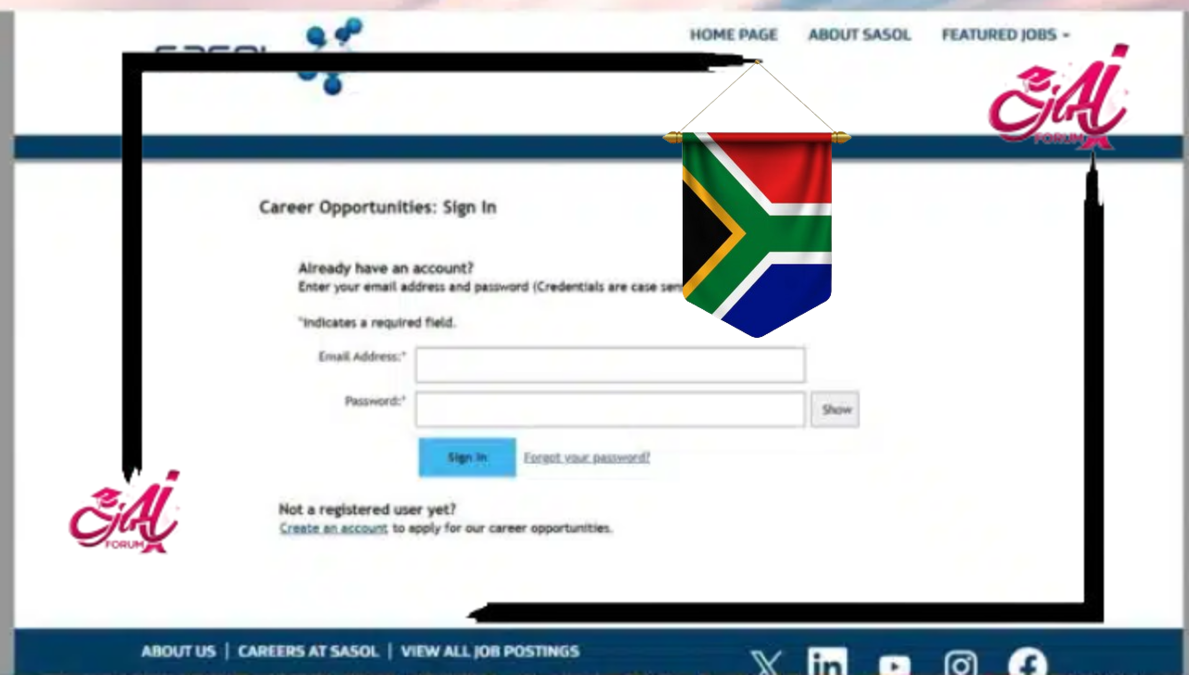
This article provides a clear, step-by-step guide on how to register on the Sasol e-Recruitment Portal and prepare your profile for job applications.

How to Register on the Sasol e-Recruitment Portal for Job Applications

  1. Visit the Official Sasol Website
  • Go to www.sasol.com
  • On the homepage, hover over or click on the “Careers” tab.
  1. Select “Careers at Sasol”
  • Under the Careers section, click on “Find a job” or “Careers at Sasol”. This redirects you to the Sasol e-Recruitment portal.

Alternatively, you can go directly to the portal via: https://career5.successfactors.eu/careers

Step 2: Register an Account on the e-Recruitment Portal

To apply for jobs, you need a personal profile on the Sasol system.

  1. Click “Sign In” or “Register”
  • On the top-right corner, click “Sign In”.
  • If you’re a new user, click on “Create an account” or “Register”.
  1. Fill in Your Details

You’ll be prompted to enter:

  • Username (your email address)
  • Password
  • First and Last Name
  • Preferred Language

Make sure you use an active email address because Sasol communicates updates via email.

  1. Accept the Terms and Conditions

Read through the terms and tick the checkbox to agree.

  1. Click “Register”

Once completed, you’ll be logged in and redirected to your candidate profile dashboard.

Get More Opportunities

Currents South African Vacancies

Active Bursaries Programmes

Open Internship Opportunities

Apply for Learnerships Programme

Step 3: Complete Your Candidate Profile

Having a detailed profile increases your chances of being shortlisted.

Sections to Complete:

  • Personal Information: Contact number, ID/passport number, address.
  • Education: List your highest qualifications.
  • Work Experience: Include current and previous jobs (if applicable).
  • Skills and Certifications: Especially important for artisan roles.
  • Documents Upload:
    • Certified ID copy
    • Certified qualifications
    • CV/Resume
    • Driver’s license (if required)
    • Transcripts (for internships or graduate roles)

Ensure all documents are in PDF format and under the allowed file size.

Step 4: Search and Apply for Jobs

Now that your profile is complete, you can search and apply for available positions.

  1. Use the Job Search Tool

Filter jobs by:

  • Job Title (e.g., Artisan Electrician, Intern, General Worker)
  • Location
  • Job Type (Permanent, Temporary, Internship, Learnership)

Step 5: Track Your Application

You can monitor your application status directly on the portal.

  1. Log in to your profile regularly

Check under “My Job Applications” to see updates:

  • Application Received
  • In Progress
  • Shortlisted
  • Regret (if unsuccessful)

Sasol may also contact you via email or SMS for assessments or interviews.

Follow on WhatsApp Follow on Telegram
Share. Facebook Twitter Pinterest LinkedIn Telegram Email WhatsApp Copy Link
Previous ArticleHow to Register, Upload a CV, and Apply for Jobs at SITA e-Recruitment Portal
Next Article How to Register on the Road Accident Fund (RAF) e-Recruitment Portal for Government Jobs
Orhan Mponda
  • Website

Related Posts

NECTA / Tamisemi form one selection 2027 pdf Download

Form One Selection 2027 Njombe Region Download Names in PDF

September 12, 2026
NECTA / Tamisemi form one selection 2027 pdf Download

Form One Selection 2027 Manyara Region Download Names in PDF

September 12, 2026
NECTA / Tamisemi form one selection 2027 pdf Download

Form One Selection 2027 Tabora Region Download Names in PDF

September 12, 2026

Comments are closed.

Recent Posts

  • Form One Selection 2027 Njombe Region Download Names in PDF
  • Form One Selection 2027 Manyara Region Download Names in PDF
  • SIMA Jobs 2026: Chief Executive Officer Vacancy | Apply Online
  • Form One Selection 2027 Tabora Region Download Names in PDF
  • Form One Selection 2027 Singida Region Download Names in PDF

Recent Comments

  1. Masha on Cato manor technical college Online Application Form 2027 /2028 Intake
Pages
  • About Us
  • Contact Us
  • Disclaimer
Recent Posts
  • Form One Selection 2027 Njombe Region Download Names in PDF
  • Form One Selection 2027 Manyara Region Download Names in PDF
  • SIMA Jobs 2026: Chief Executive Officer Vacancy | Apply Online
  • Form One Selection 2027 Tabora Region Download Names in PDF
  • Form One Selection 2027 Singida Region Download Names in PDF
About Ajiraforum

Ajira Forum is your ultimate online platform for discovering the latest South African opportunities, including Jobs, Bursaries, Scholarships,Internships, Learnerships, and Appreciation programs. Our mission is to connect job seekers, students, and young professionals with credible opportunities that help them grow, succeed, and achieve their career dreams.

The name Ajiraforum is a unique blend of two languages. “Ajira” comes from Swahili, meaning “Job”, while “Forum” comes from English, referring to a meeting place or platform for exchanging ideas. Together, Ajiraforum represents a “Job Forum” – a professional space where ideas, guidance, and opportunities converge.

© {2026} AjiraForum.com. Designed by AjiraForum.com.
  • Home
  • Disclaimer
  • About Us
  • Contact Us

Type above and press Enter to search. Press Esc to cancel.