

• Home
  • Privacy Policy
  • Disclaimer
  • About Us
  • Contact Us
Monday, February 16, 2026
Ajiraforum
  • Login
  • Home
  • Jobs
  • Bursaries
  • Learnership
  • Internships
  • Apprenticeships
  • Guides
No Result
View All Result
  • Home
  • Jobs
  • Bursaries
  • Learnership
  • Internships
  • Apprenticeships
  • Guides
No Result
View All Result
Ajiraforum
No Result
View All Result
Home Guides

How to Register for SARS eFiling – www.sars.gov.za

Orhan Mponda by Orhan Mponda
November 17, 2024
in Guides
0 0
0
Share on FacebookShare on TwitterShare on WhatsappShare on Email

Welcome to this Guide page will show you How you can Register with SARS eFiling Step by Step,Kindly for the Successful registration Read careful this aticle.

Table of Contents

Toggle
  • How to Register for SARS eFiling
      • STEP 1
      • STEP 2
      • STEP 3
      • STEP 4
      • STEP 5
      • STEP 6

How to Register for SARS eFiling

So let’s go down to the main reason why you’re here. As a valid, registered taxpayer, you can sign-up for SARS efilier service, which now allows the individual to file a return, make payments to SARS, or even request a tax clearance certificate. Additionally, it also gives you access to many other benefits via an electronic platform.

Without further ado, let’s go throw the steps to register for SARS efilier.

STEP 1

  • Visit the SARS eFiling website www.sarsefiling.co.za.
  •  Click on REGISTER. OR
  • Download the MobiApp and tap on REGISTER

STEP 2

After the registration process, you’re presented with different roles, such as: 

  • Acting as yourself when administering your own individual taxes;
  • Acting as the registered representative or an employee for a company;
  • Acting as an agent on behalf of someone else:
    • Registered Tax Practitioners
    • Employees with delegated authority from a registered tax practitioner
    • Foreigner acting on behalf of a company or an individual.

SARS will recognize you as an electronic filer once your eFiling registration is complete.

STEP 3

After registration, all the information captured during the registration process will be verified by SARS. The result of the verification will be viewable on your eFiling registration verification page or via email. 

STEP 4

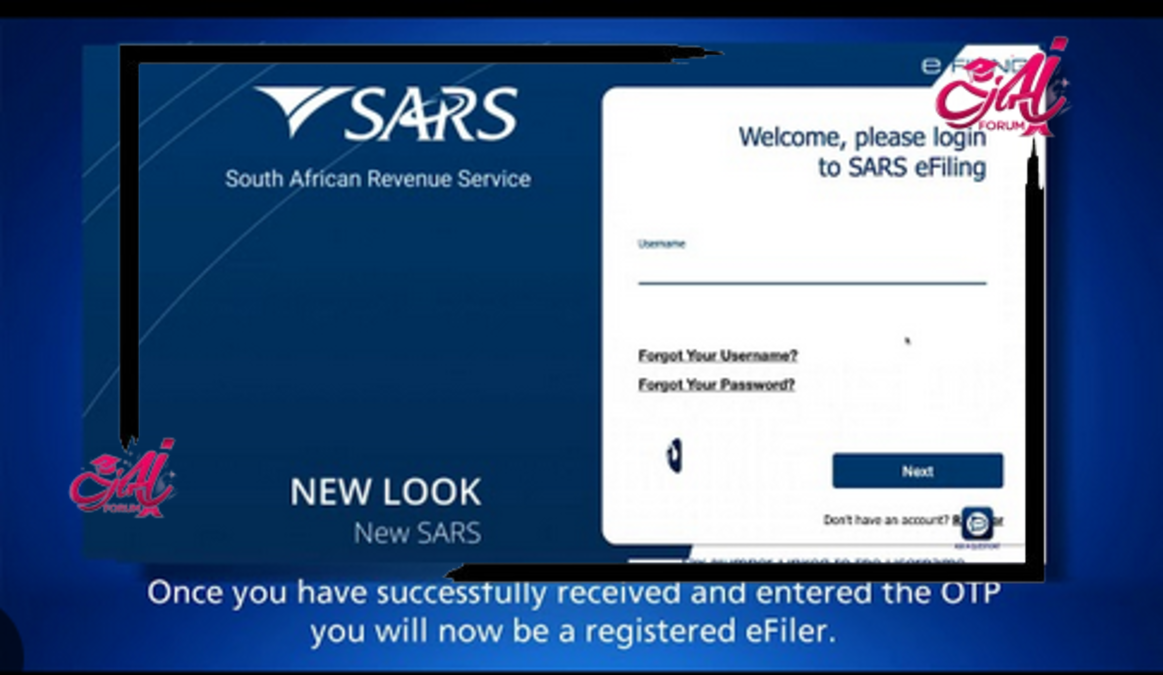
when your registration reaches this stage, a One Time Pin ( also known as OTP) will be sent to your preferred form of communication, to allow you to complete your registration.

STEP 5

Now, the status of your registration might be saying registration successful, registration rejected or awaiting supporting documents in this stage. If by any chance the status is not successful, then the taxpayer will not be able to use the SARS eFiling and must respond based on the correspondence received. SARS strives to activate new eFiling profiles within 48 hours where no supporting documentation is required.

STEP 6

if the eFiling registration is not processed within 48 hours and supporting documents are required, 

  • go to www.sars.gov.za,
  • Under the e filing banner click Login,
  • Enter your username and password you created on registration,
  • Click home; user and then pending registration, For further requirements regarding the processing of your e filing registration.


Orhan Mponda

Orhan Mponda

Next Post

How to Submit Individual Returns on SARS efiling With IRP5

Please login to join discussion
  • Trending
  • Comments
  • Latest
Current Z83 Application Form Download in PDF and Word

Updated Z83 Application Form Download in PDF and Word

February 7, 2026
X400 Pikitup General Worker Vacancies Open in Johannesburg 2026

X400 Pikitup General Worker Vacancies Open in Johannesburg 2026

February 6, 2026
UIF Payment Dates 2026: Check Monthly Payment Schedule

UIF Payment Dates 2026: Check Monthly Payment Schedule

February 15, 2026
Nedbank YES Programme 2026: Apply Online Now

Nedbank YES Programme 2026

February 14, 2026
Apply for Momentum Agreement Support Administrator Internships 2026

Momentum Agreement Support Administrator Internships 2026

0
Fraser Alexander Vacancies- Assistant General Workers 2026

Fraser Alexander Vacancies- Assistant General Workers 2026

0
Takealot Graduate Internships Programme 2026

Takealot Graduate Internships Programme 2026

0
Collins Chabane Municipality Bursary Programme 2026

Collins Chabane Municipality Bursary Programme 2026

0
SAPS Application form (PDF and Word) Editable

SAPS Application form (PDF and Word) Editable

February 15, 2026
Apply for Coega Development Corporation Internships 2026 – Full Guide

Coega Development Corporation Internships 2026 – Full Guide

February 14, 2026
Samancor Chrome Bursary Programme 2026 – Applications Now Open

Samancor Chrome Bursary Programme 2026 – Applications Now Open

February 14, 2026
How to pass K53 learner’s License test First time in South Africa?

How to pass K53 learner’s License test First time in South Africa?

February 15, 2026

Recent Posts

  • SAPS Application form (PDF and Word) Editable February 15, 2026
  • Coega Development Corporation Internships 2026 – Full Guide February 14, 2026
  • Samancor Chrome Bursary Programme 2026 – Applications Now Open February 14, 2026
  • How to pass K53 learner’s License test First time in South Africa? February 13, 2026
  • How To Check Your CAO Application Status Onine With ID Number February 13, 2026
Ajiraforum

© 2026 Ajiraforum - Your Dream Job Destination Ajiraforum.

Navigate Site

  • Home
  • Privacy Policy
  • Disclaimer
  • About Us
  • Contact Us

Follow Ajiraforum

Welcome Back!

Login to your account below

Forgotten Password?

Retrieve your password

Please enter your username or email address to reset your password.

Log In
No Result
View All Result
  • Home
  • Jobs
  • Bursaries
  • Learnership
  • Internships
  • Apprenticeships
  • Guides

© 2026 Ajiraforum - Your Dream Job Destination Ajiraforum.