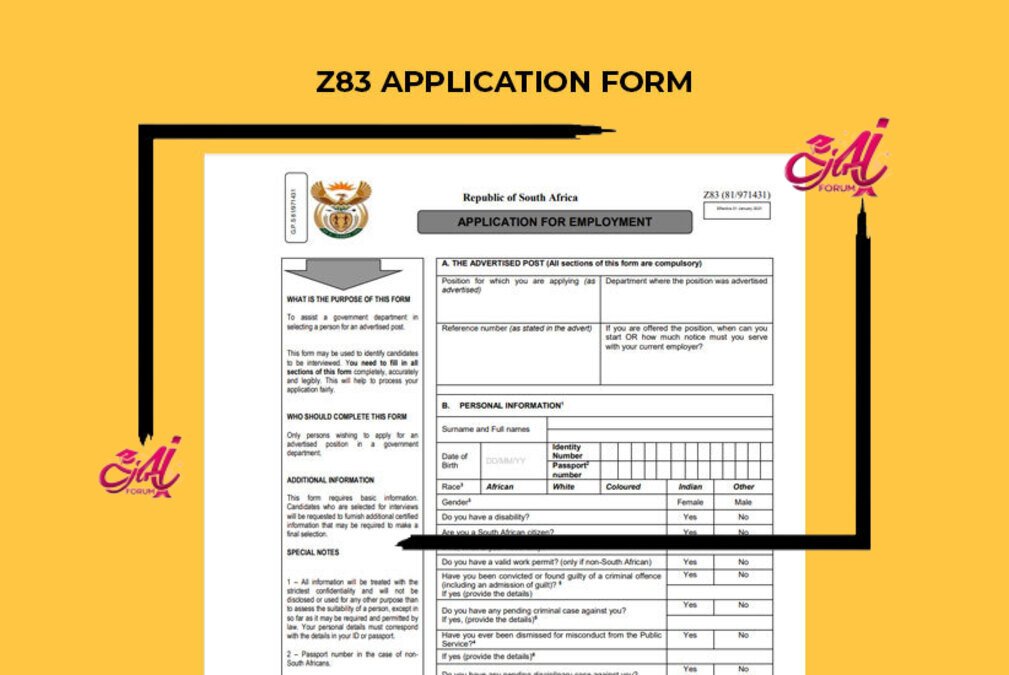
If you want to Apply for the South African Public sector Vacancies you need to Get and fill Z83 Application Form ,Here on this Article you will find Both on PDF format and Word which are editable.
Click here to download New Z83 form in PDF.
Download Z83 form (word doc)
Click here to download New Z83 form in Word Document
Complete Guides How to Fill Z83 Application Form
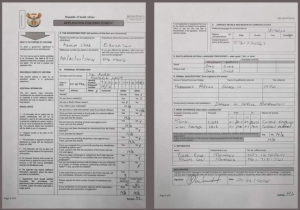
Main Aim to have the Form is to fill for Application Here are full Guides for the Successful Filling the Form
Complete Section A – Reference Number and Availability
Reference Number:
This is arguably the most critical part of Section A. The reference number is unique to the job you’re applying for and is usually found in the job advertisement. Double-check this number to avoid disqualification.
Availability:
If you’re ready to start immediately, write “IMMEDIATELY” in the designated block. If not, specify your availability date.
Fill Out Section B – Personal Details
This section requires your personal information. Here’s how to tackle it:
- Surname and Full Names: Write your legal names as they appear on your ID or passport.
- Date of Birth: Use the format DD/MM/YY.
- Identity Number or Passport Number: South African citizens should provide their ID number, while foreign applicants must include their passport number.
- Race and Gender: Mark an “X” in the appropriate boxes.
- Yes/No Questions: Answer honestly about your criminal record, dismissals, or pending disciplinary hearings. These questions are new to the new Z83 form and are designed to ensure transparency.
Get Opportunities
Currents South African Vacancies
Apply for Learnerships Programme
Get Apprenticeships Programmes
Navigate Section C – Contact Details and Correspondence Preferences
In this section, you’ll provide your contact information and specify how you’d like to be contacted:
- Preferred Language for Correspondence: Choose the language you’re most comfortable with.
- Method of Correspondence: Circle your preferred method—post, email, fax, or telephone.
- Contact Details: Fill in the relevant details based on your chosen method. For example, if you selected “Email,” provide your email address.
Tackle Section D – Language Proficiency
This section assesses your language skills. Here’s how to complete it:
- Languages: List the languages you speak and write in the grey blocks (one language per block).
- Proficiency Levels: For each language, indicate whether your speaking, reading, and writing skills are “good,” “fair,” or “poor.”
Complete Sections E, F, and G – Employment History and Qualifications
These sections require detailed information about your work experience and educational background.
- Section E: List your previous employers, job titles, and dates of employment.
- Section F: Provide details about your qualifications, including institutions attended and dates of completion.
- Section G: Include any additional skills or training relevant to the job.
Sign and Date the Declaration
Before submitting your form, don’t forget to sign and date the declaration at the end. This confirms that all the information you’ve provided is accurate and truthful.
Initial Every Page and Attach Required Documents
To ensure your application isn’t rejected on a technicality:
- Initial Each Page: Sign your initials on the bottom right corner of every page.
- Attach Supporting Documents: Include your CV, certified copies of your ID, qualifications, and any other documents specified in the job advertisement.
How to Submit Your Completed Z83 Form
Once you’ve filled out the new Z83 form and double-checked all the details, it’s time to submit it. Here’s how to ensure your application reaches the right hands:
- Scan or Photograph Your Form:
If you’re submitting your application online, scan your completed Z83 form or take clear, high-resolution photos of each page. Ensure the images are legible and free from shadows or glare. - Attach Supporting Documents:
Combine your scanned Z83 form with the required documents (CV, certified ID copies, qualifications, etc.) into a single PDF file. This makes it easier for the employer to review your application. - Email or Upload Your Application:
Follow the submission instructions provided in the job advertisement. If emailing, use a clear subject line like “Application for [Job Title] – [Your Name].” If uploading to a portal, ensure the files are correctly labeled. - Keep a Copy for Your Records:
Before sending, save a digital copy of your completed Z83 form and supporting documents. This will serve as proof of submission and help you prepare for interviews.