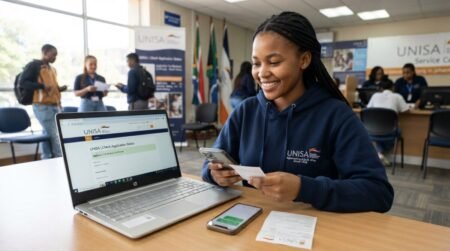
UNISA Course Registration Procedures: Step-by-Step Guide for Students Register a Course at UNISA is not Complicated but the Important thing is ensure that you include all the necessary information when submitting your online registration form
How to Register for a Course at Unisa
The steps are as follows
- Visit the Unisa web registration page. Click here to open the page.
- Choose the qualification level and then click “Go“.
- Enter your student number in the block provided and the other details as required. (If you don’t have a student number you won’t be able to continue. You’ll need to apply online for admission.)
- Check your personal details on screen. Change any contact details that are missing or incorrect. It is very important to provide your correct address and cellphone numbers. Incorrect information may delay the delivery of your study material and prevent you from receiving important information from the university.
- Click on the modules from the drop-down list for which you want to register. Ensure that you meet all the qualification requirements for your selected modules. You must
- meet all the pre-requisites and co-requisites for the selected module
- select the correct period (1 = first semester; 2 = second semester; 0 = year module)
* The language of tuition for each module is indicated in the module information.
- Do not exceed the prescribed number of modules per semester or year, as this may result in a delay in your registration being processed. Unisa retains the right to remove modules based on the number of credits allowed per semester and in accordance with the fees paid. Please take note of the maximum period of time you have to complete your qualification.
- Calculate your fees
- Use the fee quotation link on the Unisa website (http://www.unisa.ac.za/feequote) to obtain a quote for the cost of your modules.
- Note the minimum fee that must be paid before Unisa will process your registration. If these fees are more than you can afford, remove modules until you can afford the fees.
- You can make payment online, using the web credit card payment method.
- If you don’t have a credit card, you can use one of the Unisa payment methods listed on this page. Retain your proof of payment in case of enquiries.
- Submit your registration.
Registration-related forms
Unisa has made it easy for you to access some of your administrative information/functions. Login to myUnisa to access our administrative forms (eg cancellation, add modules). Please note: Faxed and/or e-mailed forms are no longer accepted.
Study pack delivery options
At the point of registration, you will have two delivery options to choose from for your first study pack for the semester / year. This only applies to modules that have printed study material. No first study packs will be sent via the South African Post Office.
Study material is also available online on myUnisa.
1. Counter
Unisa has decided to re-open the collection of study material at the existing counters. The following counter options will be available when you register: Sunnyside, Science Campus (Florida), Durban, Pietermaritzburg, East London, Port Elizabeth, Mthatha, Mafikeng, Parow (Cape Town), Polokwane, Ekurhuleni, Johannesburg, Nelspruit, Middelburg, Giyani and Vaal.
Students who choose this option will receive an SMS to notify them of the arrival of their study material at the counter of their choice. Please note that you must collect your study material within 5 days of receiving your SMS.
You will need to provide your student number at the point of collection. If you send someone else to collect your study material on your behalf, please provide him or her with your student number and confirmation SMS.2. Courier
Please provide Unisa with the following:
- A valid and active cellphone number
- An alternative and valid contact number (in case we can’t get hold of you via your cellphone number)
- A valid and correct courier / physical delivery address
In an effort to ensure that study material packs are delivered on time to the right student, Unisa requires the student (or a designated person) to present proof of identity and provide a contact number to the courier company.
This information, together with the recipient’s full name, surname and legible signature, will be captured on the courier delivery form to ensure that study material packs are delivered timeously and to the correct student.
Please provide Unisa with the correct address, suburb and postal code, as well as a valid and active cellphone number.
Please note:
- This delivery option only applies to your first study pack. Subsequent material will be sent via courier using face-to-face delivery or Bio-Box located at some petrol stations (please see below for more information). An SMS for collection will be sent to you by the courier. You must collect your parcel within 48 hours of receiving the SMS. Once you have registered, you must register on myUnisa. This will enable you to access your study material online.
- Study material for second semester modules will only be sent to you at the start of the second semester. Second semester study material will also only be available on myUnisa at the start of the second semester.
- All communication sent to you after the initial study package (with the exception of study guides) will be sent electronically to your myLife e-mail account (eg follow-up tutorial letters, examination timetables and results, financial statements). You will no longer receive such communication in printed format.
- You are encouraged to access your study material online.
Follow-up items sent via courier
Due to problems at the South African Post Office, Unisa will send follow-up items via courier.
There are two methods for the distribution of the follow-up items (single items) via courier:
- DSV Locker, situated at selected Engen garages.
- Pargo Points at selected shops where students can collect follow-up items.
Based on the address of the student, DSV will link up the nearest DSV Locker or Pargo Point (not further than 10km away) to deliver the student’s follow-up item(s).
- Once the parcel has been dispatched and is available at the DSV Locker or Pargo Point, the student will receive an SMS and e-mail informing them that the parcel is ready for collection at the specific point. The student will also receive a One-Time-Pin (OTP) that needs to be used when collecting the parcel.
- The student will receive a second SMS and e-mail as a reminder to collect after 24 hours and again after 48 hours.
- Parcels are kept for 48 hours on weekdays at DSV Lockers.
- Parcels sent via the Pargo Points are kept for 14 days, excluding weekends.
- Parcels not collected by the student from the collection points will be returned to the DSV Hub where they will be placed in a Query Status and reported to Unisa.
- Students can then still collect their materials from the DSV Hub before they are returned to Unisa after the period as prescribed by Unisa.
3. Post Office
Please note that no first study pack parcels or follow-up materials will be sent via the South African Post Office (SAPO).
Contact information for enquiries related to study material
- Nkadimeng Lebone: Nlebone@unisa.ac.za
- Thelma Mangena: Mangemt@unisa.ac.za
- Mduduzi Zulu: zulum@unisa.ac.za
- Anthea Clarke: Aclarke@unisa.ac.za
- Despatch e-mail address: despatch@unisa.ac.za
Frequently Asked Questions (FAQs)
Can I register at UNISA without admission approval?
No. You must first receive official admission before registration.
Does UNISA allow online registration only?
Yes. Most registrations are completed online through myUnisa.
Can I change modules after registration?
Yes, but only during the official amendment period.
How long does UNISA registration take?
It may take a few minutes online, but payment verification can take longer.
Can international students register online?
Yes. International students also use the myUnisa system.
What happens if I miss registration deadlines?
You may need to wait for the next registration cycle.
Can I pay UNISA fees in installments?
UNISA may allow payment arrangements depending on qualification and policies.
How do I recover my myUnisa password?
Use the password reset option on the myUnisa login page.
Will I receive study materials immediately?
Access to digital materials is usually available after registration confirmation.
Can I register for extra modules?
Only within the allowed credit limits for your qualification.
Does UNISA offer semester registrations?
Yes. Some qualifications allow semester-based registration.
Can I register using a smartphone?
Yes. The myUnisa portal is mobile accessible.
Do I need proof of payment during registration?
Yes, especially if payment was made manually.
Can I cancel my registration later?
Yes, but cancellation policies and deadlines apply.
Where can I contact UNISA for registration help?
Visit the official UNISA Contact Page.