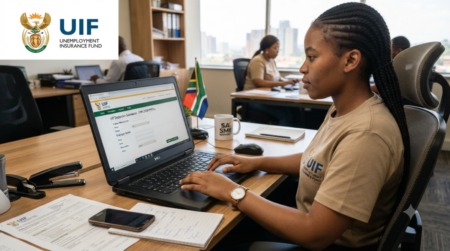
How to Reset uFiling Login Password If you forget your UIF Password you can’t access your Account ,Follow the Steps and Guide on this page to retrieve your Forgotten Password.
How to reset your Ufiling Password
The Ufiling password reset process is designed to be user-friendly and secure. To reset your password, follow these steps:
If you forget your password, you can follow the steps below to reset it.
Step 1: Go to www.ufiling.co.za/uif/
Step 2: Click on the tab “Forgot Password” using the dropdown arrow under “login”
Step 3: Select the appropriate contact method ( Email or SMS)
Step 4: Enter your password number or ID
Step 5: Enter your username
Step 6: Click on the tab “Retrieve Password Hint” located under “Complete Password Options”. Try to log in using the hint provided, and if it works, try to keep your password in a secure place, or you can change it if you want.
Step 7: If the hint password option fails to work, you can click on the tab “Reset Password” under “Complete Password Options”.
Step 8: You will receive an email or SMS containing a temporary password which you can use to log in to your UIF account. However, you have the option to change the temporary password, but make sure you create a strong one and keep it safe.
Best Practices for Secure Password Reset
To ensure the security of your Ufiling account, follow these best practices:
- Use Strong and Unique Passwords
Use a combination of uppercase and lowercase letters, numbers, and special characters to create a strong and unique password. - Enable Multi-Factor Authentication
Enable multi-factor authentication to add an extra layer of security to your account. - Monitor Your Account Activity
Regularly monitor your account activity to detect any suspicious behavior. - Keep Your Passwords Secure
Keep your passwords secure by storing them in a secure location, such as a password manager.
How do I get my UIF username?
Visit the Ufiling website and follow the steps below to retrieve your username.
- Click on the tab Forgot Username
- Enter your passport or ID number
- Enter your contact details
- Enter your tax reference number
If you don’t have your tax reference number, follow the steps below to request it.
- Visit the SARS website.
- Click “Contact Us” on the menu bar.
- Next, click on the tab “Request Your Tax Number.”
- Choose the option “What’s My Tax Number” and complete the form.
- If SARS can verify your credentials, they will send your tax number. Once you enter all the required details, you will receive your username via SMS or email.
You can also call SARS on 0800 00 7277 to retrieve your username. Another alternative is to send an SMS to SARS on 47277 with the necessary details; a SARS official will call you.
Frequently Asked Questions (FAQs)
What is uFiling?
uFiling is the online UIF management system in South Africa.
How do I reset my uFiling password?
Use the “Forgot Password” option on the login page.
Can I reset my password using my ID number?
Yes, ID numbers are often used for verification.
Why am I not receiving the OTP?
Possible reasons include incorrect phone numbers or network delays.
What should I do if my account is locked?
Wait for the lock period to end or contact UIF support.
Can employers reset uFiling passwords?
Yes, employers follow the same password recovery process.
Can foreign workers use uFiling?
Yes, qualifying foreign workers can access UIF services online.
What makes a strong password?
Strong passwords use letters, numbers, and symbols together.
How long does password reset take?
Most resets are completed within minutes.
Can I change my password after logging in?
Yes, password changes can be made in account settings.
What if I forgot my username?
You can recover it through email records or UIF support.
Can I use the same password again?
It is safer to create a completely new password.
Why is my reset link not working?
The link may have expired or gone to spam folders.
Can I access uFiling on mobile devices?
Yes, uFiling works on smartphones and computers.
What happens after resetting the password?
You can log in using your new credentials.
Is uFiling free to use?
Yes, uFiling registration and access are free.
Can I update my phone number on uFiling?
Yes, account information can be updated through the system.
Why does uFiling say invalid credentials?
This usually means the username or password is incorrect.
Can labour offices help with password resets?
Yes, labour offices may assist with account recovery.
How can I protect my uFiling account?
Use strong passwords and never share login details.