The Mpumalanga Department of Education MPG eRecruitment Portal is an online system designed to help job seekers apply for education sector vacancies quickly and efficiently. Whether you’re applying for teaching, administration, or support staff roles, registering on the portal is the first and most important step toward being considered for employment.
FIRST TIME APPLICANT:
Information you need to have that will assist you with your online application:
Detailed CV in pdf.
ID Copy in pdf.
Qualifications, including registration certificate/s in pdf.
Professional registration number (if applicable) in pdf.
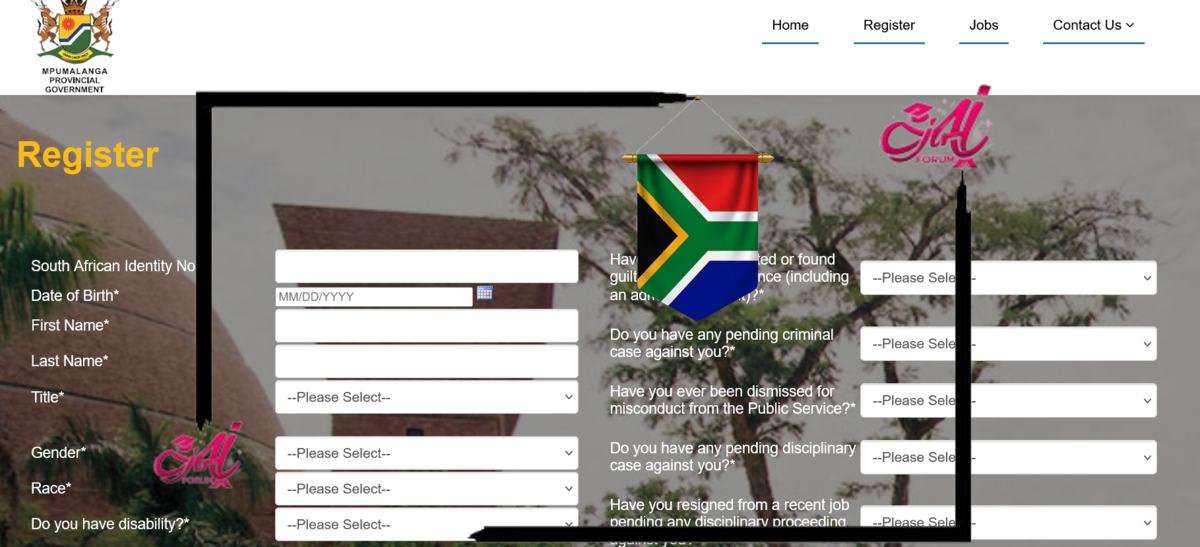
1. Register as a User
2. Click Register
3. Go to your email and get the Security Code or verification link sent by the system
4. Type in the security code or click verification link to activate your profile
5. Login with your email address and password.
Get More Opportunities
Currents South African Vacancies
Apply for Learnerships Programme
6. Create CV / profile
Fill in Profile Page on Create CV menu.
Click Add on Secondary Qualification, Tertiary Qualification, Work Experience, Language Proficiency, Reference, and Computer Literacy and make sure you attach the required documents (eg: ID copy; Driver’s license, qualifications etc…)
7. View vacancies and select the vacancy you wish to apply for
Click on “Jobs” menu button and all the vacancies will be displayed.
8. Navigate to the job you want, make sure you are logged in before you apply.
9. Job information is displayed with an option to include post specific questions.
10. Once the post has been selected, click “Apply and Generate Z83” button on the post to submit application.
11. The system will confirm your application was submitted successfully and display application reference no. Z83 is automatically generated for the recruitment officials and will be signed by shortlisted candidates.
12. You can review your CV in PDF by clicking “View CV” menu item.
13. Application is complete.