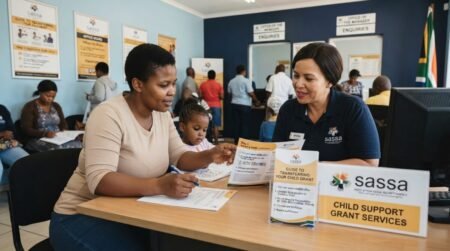
Have you lost a phone and you worry about Someone to access on your Sassa Grant account this Guide will help to change your phone number even if you don’t have an Application ID.
Why you may need to change SRD phone number without application ID
There are various reasons why you may need to change your SRD contact details, including:
- Lost or Stolen Phone: On occasion when you either lose your phone or it got stolen, you’ll necessarily need to change the phone number if you can not welcome back the sim card in order to ensure you can still receive important updates from SASSA.
- Phone Number Issues: There are times when a phone number may decide to start malfunctioning such that it won’t be able to receive calls or texts and the only solution or available option would be to change the phone number.
- Permanent or Temporary Change: Sometimes, circumstances may arise that would compel you to either want to halt using your phone number temporarily or even permanently, in this instance, you would need to link your new number to the SASSA SRD grant account.
- Network Changes: Another instance where it may become necessary to change your phone number with the SASSA is when you switch from one network provider to another for whatever reason.
How to change SRD phone number without application ID
Step 1: Visit the SASSA Website: Visit the official website of the SASSA on your internet-enabled device (whether on your phone or computer).
Step 2: Click on “SRD Grant”: Navigate to the “SRD Grant” option from the menu and you will see various service options which include changing of phone number.
Step 3: Click on “Change Phone Number”: When you click on the change phone number option, the link will redirect you to a page where you can update the current phone number, ensure you enter the correct phone number.
Step 4 Verify Your New Phone Number: Having entered the correct and valid phone number, an OTP will be sent to the number for verification.
Step 6: Submit Your Request As soon as your new phone number is verified, you can proceed to submit it and it will be updated in the SASSA system.
Important tips for SRD contact update
- Ensure accuracy: Double-check your ID number and new phone number before submitting.
- Be patient: Processing may take some time, so monitor your new phone number for updates.
- Keep documents ready: While this process doesn’t require an application ID, ensure you have your South African ID handy.
Get Opportunities
Currents South African Vacancies
Apply for Learnerships Programme
Get Apprenticeships Programmes
What if I Lost My Phone Number for SASSA R350?
If you’ve lost the SRD phone number associated with your application, there’s no need to update your contact details with SASSA unless you’re also getting a new phone number. Here’s why:
- SASSA doesn’t disburse the R350 grant via phone calls or SMS notifications.
- You’ll still receive approval or payment updates through alternative methods, such as mail or the SASSA website.
FAQs (Frequently Asked Questions)
Can I change my SRD phone number online without application ID?
No, you usually need the application ID. Without it, contact SASSA directly.
How long does it take to update my phone number?
It can take 24 hours to a few days, depending on the method used.
Is it safe to update my phone number through email?
Yes, if you use the official SASSA email address.
What if I lost both my phone and application ID?
Visit a SASSA office or call support for manual verification.
Can someone else update my number for me?
No, you must verify your identity yourself.
Do I need a new SIM card?
Yes, you need an active number to receive OTPs.
Will my grant be stopped if I don’t update my number?
It may cause delays or access issues.
Can I use WhatsApp to contact SASSA?
No official WhatsApp service for SRD updates is confirmed.
What details does SASSA need to verify me?
ID number, name, and date of birth.
Is there a fee for updating my phone number?
No, it’s completely free.
What happens if I enter wrong details?
Your request may be rejected.
Can I update my banking details at the same time?
Yes, once your number is updated.
Does SASSA send confirmation after update?
Yes, usually via SMS.
What if my ID number is incorrect in the system?
Visit a SASSA office immediately.
Can I apply again instead of updating?
Not recommended — it may cause duplication issues.
Is the SASSA helpline available 24/7?
No, only during working hours.
Can I track my request?
Yes, via follow-up calls or email.
What if I changed my number multiple times?
Always ensure your latest number is registered.
Do I need proof of residence?
Usually not required for phone updates.
Can I update details for someone else?
Only if you are legally authorized.