How to Activate Your New SASSA Card :Full Guide After Receiving your New sassa the Next Compulsory thing before start using it you need to Activate,Follow the steps provided on this page to accomplish your sassa Card Activation.
Checking Your Card Details Before Activation
Once you apply for a new SASSA card or renew your existing card, it takes 2 to 3 weeks to deliver. Once you receive your card, you need to make sure that the details on the card are printed correctly. Check the following information on the card to ensure they are correct
Sassa Card Activation Process
Are you confused about your SASSA card activation process? There is no need to be worried. Here is the beginner’s guide for all the South African Social Security Agency (SASSA) grant holders about the activation of their debit cards.
1. Receive Your SASSA Card
After checking your SRD status to verify that you are approved for the SRD R350 grant the first step is to receive your SASSA card in the mail. It will be sent to the address you provided when you applied for your SASSA grant. The card should arrive within 2-3 weeks after your grant application is approved.
2. Check the Card Details
Once you receive the card, check that all the details on the card are correct. This includes your full name, ID number, and card number. If there are any errors with the card details, you need to report this to your nearest SASSA office before activating the card.
3. Activate Your Card Through the Retail Store
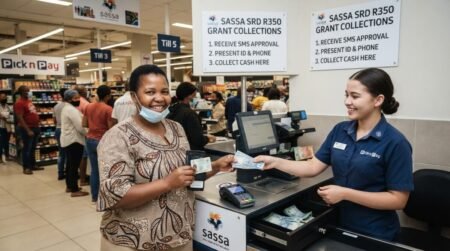
Take your SASSA card and ID book/card to any Shoprite, Checkers, Pick n Pay, Boxer, PEP, Ackermans or Cambridge store. Inform the cashier you want to activate your SASSA card. The cashier will assist in activating the card on their system. This activation is instant, and you don’t need to call the SASSA card toll-free number.
4. Set Your SASSA Card PIN
Once the card is activated on the retail store system, you need to set your unique Personal Identification Number (PIN) for the card. This PIN will allow you to access your money at ATMs or pay for purchases. You set the PIN on the Point of Sale device with the cashier.
5. Wait 24 Hours Before Using
It can take up to 24 hours after activation before you can use your SASSA card. So don’t worry if you cannot access or withdraw money immediately after leaving the store. After 24 hours, your card will be ready to use at ATMs, retail stores etc.
Get Opportunities
Currents South African Vacancies
Apply for Learnerships Programme
Get Apprenticeships Programmes
How to Use SASSA Card at ATM?
Here is a beginner’s guide on how to use your SASSA card at an ATM:
1. Find an ATM
First, locate an ATM machine that accepts SASSA cards. Look for the SASSA or Grindrod Bank logo displayed on the ATM. These ATMs can be found at banks, retailers, and other public locations.
2. Insert Your SASSA Card
Once you are at the ATM, insert your SASSA card into the machine with the chip facing upwards. Push the card in smoothly until it catches. The ATM will read your card details.
3. Enter Your PIN
The ATM screen will prompt you to enter your 6-digit SASSA card PIN number using the keypad. Type in your PIN carefully and press the green Enter or OK button once done.
4. Select Transaction Type
You will be given options like Withdrawal, Balance Enquiry, Mini Statement etc. Use the keypad to select your desired transaction then press Enter.
For example, if you want to withdraw cash, choose Withdrawal.
5. Enter Withdrawal Amount
If you select withdrawal, the ATM will ask you to enter the amount you would like to withdraw. Type in the amount, for example, R100, then press Enter to proceed.
6. Take Your Card and Cash
Once the transaction is approved, the ATM will dispense the cash. Take your SASSA card and remove the cash. Make sure you collect all the notes dispensed. Your transaction slip will also be printed.
Frequently Asked Questions (FAQs)
How do I activate my new SASSA card?
You can activate it at an ATM by changing your PIN or using it for the first transaction at a retail store.
Do I need to activate my SASSA card before using it?
Yes, activation is required before you can withdraw money or make payments.
Where can I activate my SASSA card?
You can activate it at ATMs, retail stores, or Postbank service points.
Can I activate my SASSA card at Shoprite?
Yes, you can activate it by making a purchase and entering your PIN at Shoprite.
What PIN do I use for activation?
Use the temporary PIN provided with your card, then change it to a new PIN.
What happens if I enter the wrong PIN too many times?
Your card may be temporarily blocked for security reasons.
Can I activate my SASSA card without an ATM?
Yes, you can activate it at participating retail stores.
How long does SASSA card activation take?
Activation is usually instant once the correct PIN is used.
Why is my new SASSA card not working?
It may not be activated yet, or there could be a system delay.
Can I activate my SASSA card online?
No, activation must be done at an ATM or retail store.
What should I do if my card is not activating?
Try another ATM or visit a SASSA/Postbank office for assistance.
Do I need my ID to activate my SASSA card?
Yes, your ID may be required at Postbank or for verification.
Can someone activate my SASSA card for me?
No, only the cardholder can activate it for security reasons.
Is there a fee to activate SASSA card?
No, activation is completely free.
What should I do after activating my card?
You can start withdrawing money, checking balance, and making purchases safely.