Looking for government job opportunities in Ekurhuleni? The official e-Recruitment portal allows job seekers to create a profile, upload documents, and apply for vacancies online without submitting paper applications. This step-by-step guide explains exactly how to register, log in, and apply successfully.
Who Should Register?
You should sign up if you:
Are seeking municipal or government employment
Meet qualifications for advertised posts
Want faster application processing
Prefer applying online instead of submitting physical forms
Both graduates and experienced professionals can register.
Get More Opportunities
Currents South African Vacancies
Apply for Learnerships Programme
Requirements Before Registration
Prepare these before starting:
Valid South African ID number
Active email address
Mobile phone number
Updated CV
Certified qualification copies
Proof of residence (if required)
Having these ready speeds up registration.
How to Register on the City of Ekurhuleni e-Recruitment Portal for Government Jobs
Creating an Account and Registering
Step 1: Visit the Official City of Ekurhuleni e-Recruitment Website
- Open your internet browser and go to the official e-Recruitment website:
https://rems.ekurhuleni.gov.za/eRecruitment/ - On the home page, you will see options to register, log in, or view vacancies. If you’re a new user, start by clicking on “Register”.
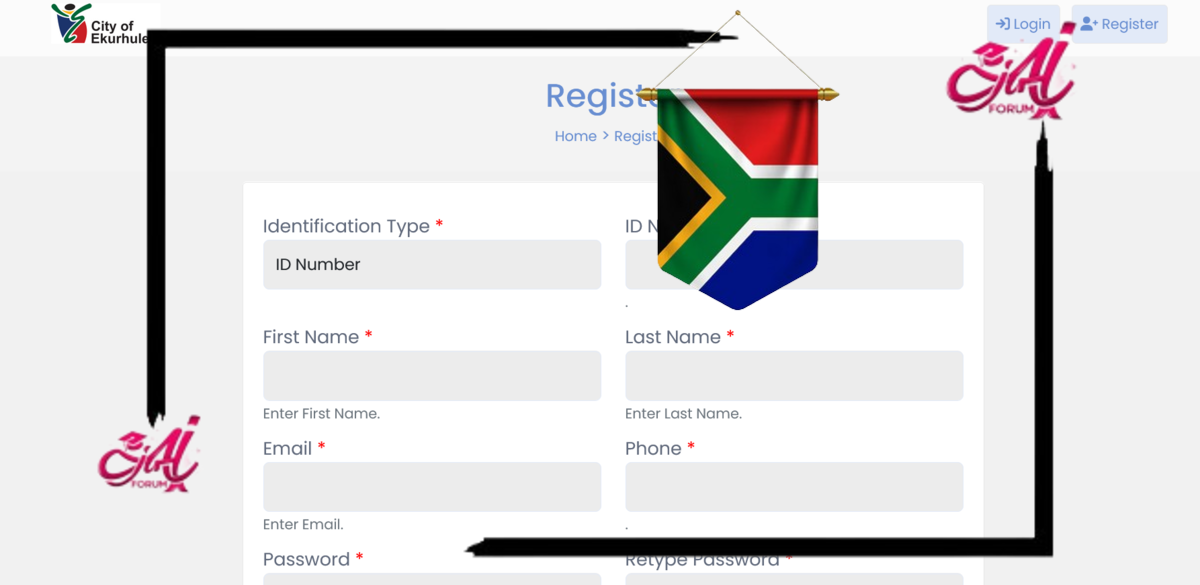
Step 2: Complete the Registration Form
You will be asked to provide the following information:
- Full Name and Surname
- South African ID number or Passport Number (if a non-citizen)
- Contact Information (cellphone number and email address)
- Create a username and password
- Agree to the terms and conditions
Tip: Make sure your email address and phone number are active. This is how you will receive updates about job applications.
Step 3: Verify and Activate Your Account
After completing the form:
- You will receive a verification email or SMS.
- Click the link provided to activate your account.
- Once activated, you can log in to your profile using your username and password.
Creating a Job Profile and Uploading Documents
Step 4: Log In and Complete Your Profile
After logging in:
- Click on “My Profile”.
- Fill in your personal details, educational background, work experience, and skills.
- Indicate your employment preferences (e.g., entry-level jobs, internships, EPWP, etc.).
- Add your preferred work locations within Ekurhuleni (e.g., Germiston, Tembisa, Benoni, etc.).
Step 5: Upload Required Documents
You must upload certified copies of the following:
- CV (Curriculum Vitae)
- South African ID
- Matric Certificate
- Qualifications/Transcripts (if any)
- Proof of Address (not older than 3 months)
Optional but useful:
- Reference letters
- Driver’s license (if the job requires one)
Documents must be in PDF or Word format and should not exceed the maximum upload size.
Step 6: Search and Apply for Jobs
- Navigate to the “Vacancies” or “Opportunities” tab.
- You can filter jobs by category, type (e.g., learnership, internship), or location.
- Click on any vacancy to view the job description, requirements, and closing date.
To apply:
- Click “Apply Now”.
- Attach the relevant documents and confirm your application.
Types of Opportunities Available
- Entry-Level Government Jobs
These include general worker posts, admin clerks, drivers, cleaners, and security personnel. Most require Grade 10 to Matric and minimal experience.
Tip: Indicate clearly in your profile if you are willing to do general duties or work shifts.
- Learnerships and Internships
Offered annually in partnership with various SETAs (Sector Education and Training Authorities), including:
- LGSETA (Local Government SETA)
- MERSETA
- ETDP SETA
- Services SETA
Fields covered include:
- Electrical and Plumbing
- Engineering
- Finance
- ICT
- Human Resources
- Environmental Health
Learnerships usually last 12 months and include both theoretical and workplace training. Internships are for graduates seeking work experience.