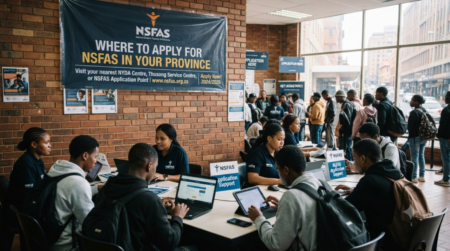
How to Sign SOP For NSFAS For NSFAS Beneficiary they will be asked to Sign Schedule of Particulars (SOP) LAF Which is Loan Agreement Form,This article provide Guide to sign SOP.
What is SOP in NSFAS?
To ensure that you receive funding for your education and repay NSFAS after you graduate, you must sign a legally binding contract known as SOP (Schedule of Particulars) or LAF (Loan Agreement Form). Bursary and TVET recipients must sign an SOP, while those taking out a loan for university must sign the Loan Agreement Form.
Get Opportunities
Currents South African Vacancies
Apply for Learnerships Programme
Get Apprenticeships Programmes
Why Is Signing the SOP Important?
If you don’t sign your SOP:
- Your NSFAS funding will not be activated
- You may not receive allowances
- Your application may remain incomplete
In short, signing the SOP is a mandatory step.
How to sign SOP for NSFAS
Students who are funded by NSFAS for the first time are required to sign the NSFAS Bursary Agreement form.
How to sign?
Step 1: You will receive an email with a link to sign online, click on the link to proceed
Step 2: After inserting your ID number, you will receive a One Time Pin (OTP) through an SMS to your registered cell phone number
Step 3:Type in the received OTP to continue with the signing of the agreement
When finished, you will receive a notification on the screen that the Terms and Conditions have been submitted. This means you have successfully signed your NSFAS bursary agreement. Your parent or legal guardian should sign for you if you are under the age of 18
FAQs About Signing SOP for NSFAS
What does SOP mean in NSFAS?
SOP stands for Schedule of Particulars, a funding agreement document.
Is signing SOP mandatory?
Yes, you must sign it to receive funding.
Where do I find my SOP?
In your myNSFAS account or via email notification.
Can I sign SOP online?
Yes, digital signing is allowed.
Can I print and sign manually?
Yes, then upload the signed copy.
What if I don’t sign SOP?
Your funding will not be activated.
How long does SOP verification take?
Usually a few days to weeks.
Can I edit details after signing?
No, contact NSFAS before signing if there are errors.
What format should I upload?
PDF or clear image format.
Do I need a printer?
No, digital signing is available.
Can I use my phone to sign?
Yes, smartphones are supported.
What if I upload a blurry document?
It may be rejected, and you’ll need to re-upload.
Will I get confirmation after signing?
Yes, through your NSFAS account or SMS/email.
Is SOP the same as a contract?
Yes, it acts as a legal agreement.
Can someone sign on my behalf?
No, it must be signed by the applicant.
What if I miss the deadline?
Your funding may be delayed or canceled.
Can I download SOP again?
Yes, from your NSFAS portal.
Do TVET students also sign SOP?
Yes, all funded students must sign.
Does signing SOP guarantee payment?
It enables payment, but processing still takes time.
Who do I contact for help?
Contact NSFAS support via their official channels.