
Close Menu
AjiraForum
  • Home
  • Jobs
  • Bursaries
  • Learnership
  • Internships
  • Apprenticeships
  • Guides
Facebook X (Twitter) Instagram
Trending
  • Good Neighbors Tanzania Jobs 2026: Senior Accounts Officer Vacancy in Dar es Salaam
  • Restless Development Jobs 2026: SRHR Policy Analysis, Advocacy and Dialogue Consultant
  • Form One Selection 2027 Rukwa Region Download Names in PDF
  • British High Commission Tanzania Recruitment 2026: Climate Programme and Partnership Manager
  • Letshego Faidika Bank Jobs 2026: 50 Direct Sales Agent Vacancies in September
  • Form One Selection 2027 Pwani Region Download Names in PDF
  • MCB Company Limited Vacancies September 2026: 7 New Job Opportunities in Tanzania
  • SADC Secretariat Vacancies 2026: New Job Opportunities for Tanzanians
Facebook X (Twitter) Instagram
AjiraForumAjiraForum
  • Home
  • Jobs
  • Bursaries
  • Learnership
  • Internships
  • Apprenticeships
  • Guides
AjiraForum
Home » SASSA ID Verification Link for R350: How to Verify Your Identity and Fix Common Issues
Sassa Check

SASSA ID Verification Link for R350: How to Verify Your Identity and Fix Common Issues

Orhan MpondaBy Orhan MpondaMay 5, 2026Updated:May 5, 2026No Comments1 Views
Facebook Twitter Pinterest LinkedIn WhatsApp Reddit Copy Link
SASSA ID Verification Link for R350: How to Verify Your Identity and Fix Common Issues
Share
Facebook Twitter LinkedIn Pinterest Email Telegram WhatsApp Threads Copy Link
WhatsApp Group Join Now

SASSA ID Verification Link for R350 Get the active and working link for sassa ID Verification through Biometric ID Verification System this page have direct verification link to tap and start verifying.

What is Sassa Biometric ID Verification

The South African Social Security Agency (SASSA) recently introduced biometric verification through facial recognition to mitigate fraud. #PayTheGrants criticised SASSA for introducing this measure at a time of the month when beneficiaries were awaiting payment.

SASSA ID Verification Link for R350

https://www.sassa.gov.za/srd-biometric-identity-verification

How to Complete the SASSA Biometric ID Verification Link Process?

Step 1: Receive the Biometric Verification Notification

SASSA sends verification notifications through SMS or email. These messages contain specific instructions for completing the verification process.

Step 2: Be Ready For the Biometric Verification Process

You must have your South African ID ready for verification. While a Smart ID is recommended, it’s not required. However, older Green ID Books with poor quality photos might cause verification problems.

Step 3: Visit the Biometric Verification Center

Find your nearest SASSA verification center or look for a Mobile Biometric Verification Unit in your area. SASSA might require you to:

  • Schedule an appointment
  • Visit a specific center
  • Follow special instructions from your notification

Step 4: Perform Identity Verification

The verification process includes several possible steps:

  • Fingerprint scanning to match existing records
  • Facial verification using current photographs
  • Iris scanning to confirm eye patterns
  • Comparison with SASSA database records

Step 5: Confirmation of Identity And Data Update

After successful verification, SASSA staff will:

  • Update your identity status
  • Provide verification confirmation
  • Ensure your grant payment system is active

SMS Link Verification Process

SASSA offers an alternative verification method through SMS:

  1. You receive a secure verification link via SMS
  2. Click the link to access the verification page
  3. Take and submit your photo through the webpage
  4. Wait for confirmation via SMS or email

Important: The SMS link remains valid for 3 days only. If verification fails, contact the SASSA helpline at 0800 60 10 11 for a new link.

Key Information for Grant Recipients

Time Requirements:

  • Complete verification promptly after receiving notification
  • Process SMS link verification within 3 days
  • In-person verification typically takes 15-30 minutes

Document Requirements:

  • Valid South African ID
  • Original identification documents
  • Recent contact information

Verification Center Details:

  • Operating hours: Monday to Friday
  • Multiple verification methods available
  • Trained staff to assist with the process

What to Do if You Haven’t Received a Verification Link

  • If you have a green ID book: Be aware that verification might take longer. Sassa still accepts green IDs, but they recommend applying for a smart ID card to improve your chances of successful verification.
  • Apply for a Smart ID Card (optional but recommended): You can apply for a smart ID online or in person at a Home Affairs office. The application fee is R140 (free for first-time applicants at 16 years old). Be aware that Home Affairs is experiencing processing delays due to a high volume of applications.
  • Contact Sassa: If you haven’t received your verification link and have waited a reasonable amount of time, reach out to Sassa. Here are the ways to get in touch:
    • Head Office: 012 400 2322
    • Hotline: 0800 601 011
    • Email: grantenquiries@sassa.gov.za
    • Website: Sassa Grants
  • Keep Records: When contacting Sassa, keep a record of the date, who you spoke to, what information you provided, and any reference numbers for future reference.

Check More Sassa Updates

Follow on WhatsApp Follow on Telegram
Share. Facebook Twitter Pinterest LinkedIn Telegram Email WhatsApp Copy Link
Previous ArticleSASSA Old Age Grant Increase 2026: New Amounts, Eligibility, and Payment Updates
Next Article How to Collect SASSA Grant Payment at Boxer Store (Full Step-by-Step Guide)
Orhan Mponda
  • Website

Related Posts

How to transfer My Child Grant To Someone Else

How to Transfer My Child Grant to Someone Else (Step-by-Step Guide)

August 16, 2026
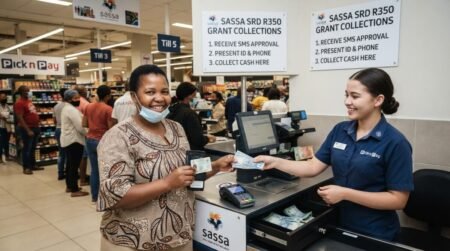
How to Collect SASSA SRD R350 Grant at Pick n Pay?

How to Collect SASSA SRD R350 Grant at Pick n Pay?

August 15, 2026
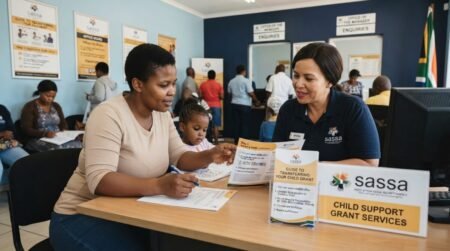
Required Documents For SASSA Child Support Grant Application (Complete Guide)

Required Documents For SASSA Child Support Grant Application

May 6, 2026
Leave A Reply Cancel Reply

You must be logged in to post a comment.

Recent Posts

  • Good Neighbors Tanzania Jobs 2026: Senior Accounts Officer Vacancy in Dar es Salaam
  • Restless Development Jobs 2026: SRHR Policy Analysis, Advocacy and Dialogue Consultant
  • Form One Selection 2027 Rukwa Region Download Names in PDF
  • British High Commission Tanzania Recruitment 2026: Climate Programme and Partnership Manager
  • Letshego Faidika Bank Jobs 2026: 50 Direct Sales Agent Vacancies in September

Recent Comments

  1. Masha on Cato manor technical college Online Application Form 2027 /2028 Intake
Pages
  • About Us
  • Contact Us
  • Disclaimer
Recent Posts
  • Good Neighbors Tanzania Jobs 2026: Senior Accounts Officer Vacancy in Dar es Salaam
  • Restless Development Jobs 2026: SRHR Policy Analysis, Advocacy and Dialogue Consultant
  • Form One Selection 2027 Rukwa Region Download Names in PDF
  • British High Commission Tanzania Recruitment 2026: Climate Programme and Partnership Manager
  • Letshego Faidika Bank Jobs 2026: 50 Direct Sales Agent Vacancies in September
About Ajiraforum

Ajira Forum is your ultimate online platform for discovering the latest South African opportunities, including Jobs, Bursaries, Scholarships,Internships, Learnerships, and Appreciation programs. Our mission is to connect job seekers, students, and young professionals with credible opportunities that help them grow, succeed, and achieve their career dreams.

The name Ajiraforum is a unique blend of two languages. “Ajira” comes from Swahili, meaning “Job”, while “Forum” comes from English, referring to a meeting place or platform for exchanging ideas. Together, Ajiraforum represents a “Job Forum” – a professional space where ideas, guidance, and opportunities converge.

© {2026} AjiraForum.com. Designed by AjiraForum.com.
  • Home
  • Disclaimer
  • About Us
  • Contact Us

Type above and press Enter to search. Press Esc to cancel.