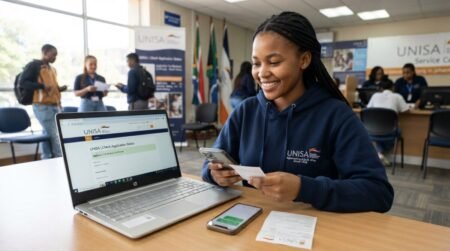
How to check my unisa exam venue and centre codes Online When your Studying at UNISA you don’t to struggle Knowing your Exam Venue you can check it online through you Smartphone Check the steps.
How to check my unisa exam venue
- To find your exam venue, all you need is to log into your portal.
- Proceed to click on MyAdmin.
- Navigate and click on an exam timetable
- Click display as seen below the options.
- This will view your venue and exam timetable.
Because of how big the campuses are, UNISA is always open to support individuals who may not find their exam venue. As part of the policies of UNISA, it is part of their duty to provide additional systems to help students.
UNISA understands that there may be situations where you are unable to reach your designated examination venue due to exceptional circumstances.
If you find yourself in such a situation, you can submit a thorough explanation to the university for their consideration. Please be aware that Unisa’s examination venues will remain open, and exams will continue according to the scheduled timetable.
How do I change my Unisa exam Centre?
It is common to find students who do not know they can change their exam centre. When you look at how exams are organised at UNISA, it is considered to be one of the best. Did you know that students offering the same course do not sit together in one exam venue? Yes, this does not happen.
This is why there is a chance for individuals to request a change in exam centres.
However, if you wish to make a change, you must apply when the application for a change of venue is opened. This is usually opened weeks before the exams.
Although it is possible to change venue, it is the school authorities that may give a signal that the possibility of changing venue is available. Therefore, students can submit their application through the online portal, which is myUnisa.
You can apply by sending an email to UNISA ataegrotats@unisa.ac.za. Indicating the need for the change. This email should have your timetable and student number.
Where to find Unisa exam timetable?
Students who are preparing for the UNISA exams can access their examination time using the timetable resource tool.
The final examination timetable will be sent to students through their myLife account via email. Additionally, it will also be available on MyUnisa along with all the necessary instructions.
It is crucial to read the examination timetable with great care. Under no circumstances will the misinterpretation of examination dates or times be accepted as a valid reason for being granted admission to a supplementary examination.
You may check your provisional timetable by following the procedures below.
- To view your UNISA examination schedule, go to https://myadmin.unisa.ac.za/services/exam-timetable-app/#/search.
- Enter your module code and check the exam period.
- Once input, it displays the time at which the tests for that particular subject will be held.
Also, students who can not find their exam timetable can email UNISA at examinations@unisa.ac.za to request their timetable.
Due to communication lags, it is important to request the final exam timetable weeks before the starting date of the exams.
What happens when you miss an exam at Unisa?
Missing exams at UNISA can be heartbreaking, but most importantly, the reason for missing them can give you another chance.
Once you miss your exam timetable, you are graded null, and your signing sheet is marked absent. This means you will not have any score for this exam.
Should you miss an exam at UNISA for a good course, you can approach the school to help you take a supplementary exam.
Frequently Asked Questions (FAQs)
How do I check my UNISA exam venue online?
Log into your official UNISA student account and access the relevant examination information to view your assigned examination venue and other examination details.
Where can I find my UNISA exam centre code?
If a centre code has been assigned and published for your examination, it should appear with your examination venue or centre information.
Can I check my UNISA exam venue using my student number?
Your student number is used to access your UNISA student information, including examination-related information available through your account.
Why can’t I see my UNISA exam venue?
The venue may not yet have been released, your examination information may require an update, or there may be an issue with your account or registration. Check again later and contact UNISA if the problem continues.
Can UNISA change my examination venue?
Examination arrangements can change, so students should always check the latest official information before attending an examination.
How do I know which UNISA exam centre I should attend?
Use the examination venue information provided through your official UNISA examination arrangements. Do not assume that your previous examination venue is still valid.
Does the UNISA exam centre code identify my venue?
A centre code is used to identify an examination centre or venue within UNISA’s examination arrangements when one is provided.
Can I use an old UNISA exam timetable?
You should not rely on an old timetable for a current examination. Always check the latest examination information provided by UNISA.
What should I do if my UNISA exam venue is wrong?
Contact UNISA through its official student-support channels as soon as possible and provide the relevant examination information.
Can I change my UNISA exam venue?
Venue changes depend on UNISA’s examination procedures and available options. Students should use the official UNISA processes rather than making their own arrangements.
When should I check my UNISA exam venue?
Check your venue as early as possible and verify it again shortly before your examination date in case there are updates.
What information appears with my UNISA exam venue?
Depending on the examination arrangements, you may see your module, examination date, time, venue and centre code.
Do UNISA students have the same examination venue?
Not necessarily. Examination venues can depend on individual examination arrangements and other factors.
Can I check my UNISA exam venue from my phone?
Yes. You can access the relevant UNISA online services using a mobile device with an internet connection.
What should I do if I forget my UNISA password?
Use UNISA’s official account or password-recovery facilities rather than sharing your login details with another person.
Do I need my student number to access UNISA examination information?
Your student credentials are normally required to access your personal student information and examination details.
Can I get my UNISA exam venue from another student?
Another student may provide general guidance, but you should verify your own venue directly through UNISA because examination arrangements can differ between students.
What happens if I go to the wrong UNISA examination centre?
You should verify your examination venue before the examination. If you discover a problem, contact UNISA immediately for guidance rather than assuming another venue will accept you.
Is the UNISA exam venue the same for every module?
Not necessarily. Check the examination information for each module to make sure you attend the correct venue.
Where can I get official UNISA examination assistance?
Use the official UNISA website and its student-support channels for examination-related assistance and the latest information.