How to Change Your SASSA Bank Details Online (Step-by-Step Guide) Updating SASSA Bank Details is Good thing Because it reduce unnecessary delay on Sassa payments on this page you will be full guided to accomplish the process.
Possible reasons for Update Your Banking Details?
- Change of Bank Accounts: You might need to change your banking details due to switching banks, closing an account, or opening a new one.
- Updating Personal Information: Any changes in personal information can necessitate an update to ensure that grant payments are not disrupted.
- Compliance and Security: Keeping your banking details accurate and secure is crucial to prevent fraud and ensure that you receive your funds without any issues.
Before We Begin: Prepare Yourself!
- Your South African ID Number: This is the same ID you used when you first applied for the SASSA SRD grant.
- Your Registered Mobile Phone: Make sure you have access to the phone number you used during your grant application. You’ll be receiving a verification code there.
Choose Your Method:
- Online Platforms: Ideal for those who are comfortable with using the internet and prefer a quick, paperless process. You can update your banking details on the official SASSA SRD (Social Relief of Distress) website or through the SASSA R350 grant portal.
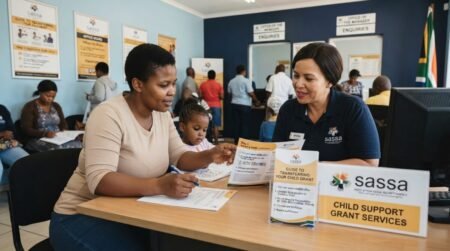
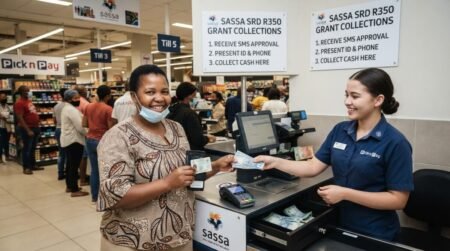
- In-Person Visits to SASSA Offices: For those who prefer or require face-to-face assistance, visiting a local SASSA office can be the best option. This method is particularly helpful if you have questions or unique circumstances that might be easier to address in person. Remember to bring all required documents and wear a mask if required by local health guidelines.
Complete Guide to Update Your SASSA SRD Banking Details
Online:
- Visit the Official SASSA Website: Navigate to the SASSA SRD (Social Relief of Distress) portal dedicated to grant applications and updates.
- Log In: Use your ID number and the cell phone number registered with SASSA to log in.
- Select ‘Banking Details’: Find the section for updating banking information.
- Enter New Details: Carefully enter your new banking details as per your bank statement or letter.
- Verification: SASSA will send an OTP to your registered cell phone number for verification.
- Submit: After verifying your details, submit the form and wait for a confirmation message.
In-Person:
- Visit Your Nearest SASSA Office: Bring all required documents, including your ID and proof of bank account.
- Fill Out the Form: Request and complete the form to change your banking details.
- Submit and Verify: Hand in your form and documents. The office may perform an immediate verification or inform you about the verification process.
After the Change
Confirmation:
Upon successfully updating your SASSA banking details, it’s crucial to await confirmation from SASSA. This confirmation ensures that your submission has been received and is being processed. Typically, this confirmation could come through various channels:
- SMS: A quick text message to your registered phone number indicating that your details are under review or have been successfully updated.
- Email: An email sent to your provided address with information about the status of your banking detail update.
Monitoring:
After receiving confirmation, it’s wise to monitor your account, especially around the time you expect your next grant payment. This vigilance ensures that your benefits are being correctly deposited into your updated account. Here’s what you should keep in mind:
- Check Your Bank Statements: Regularly review your bank statements or
- online banking transaction history to see if the grant payments are arriving as expected.
- Be Alert for Delays: If your grant does not arrive on the expected date, give it a day or two before raising the alarm, as minor processing delays can occur.
- Contact SASSA if Needed: Should there be any significant delay or if the payment is not received, reach out to SASSA for assistance. Have your confirmation of banking detail change and any relevant information handy to facilitate the inquiry.
Frequently Asked Questions (FAQs)
How do I change my SASSA bank details online?
You can update your details through the official SASSA SRD website by logging in and selecting the banking update option.
Can I change my bank details on my phone?
Yes, you can use a mobile phone with internet access.
How long does it take to update bank details?
It usually takes a few days to two weeks for verification.
Can I use someone else’s bank account?
No, the account must be in your own name.
Why is my bank update rejected?
It may be due to mismatched details or incorrect account information.
Do I need to verify my identity?
Yes, OTP verification is required.
What happens after I submit new bank details?
SASSA verifies your information with your bank.
Will I still receive payments during update?
Payments may be delayed until verification is complete.
Is it free to change bank details?
Yes, it is completely free.
What if I don’t receive OTP?
Check your network and ensure your SIM is active.
Can I change bank details more than once?
Yes, but avoid unnecessary changes.
What documents are needed?
You need your ID and active bank account details.
Can I update details at a SASSA office?
Yes, if you cannot access the online system.
Why is my payment not reflecting?
It may still be under verification or processing.
Can I use a joint bank account?
No, it must be in your name only.
How do I check if my update is successful?
Check your SRD status online.
What if I enter wrong bank details?
You should correct them immediately to avoid payment issues.
Do I need internet access?
Yes, for online updates.
Who manages SASSA payments?
The South African Social Security Agency.
Can I get help if I have issues?
Yes, contact SASSA or visit a nearby office.