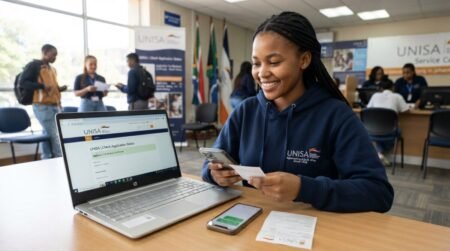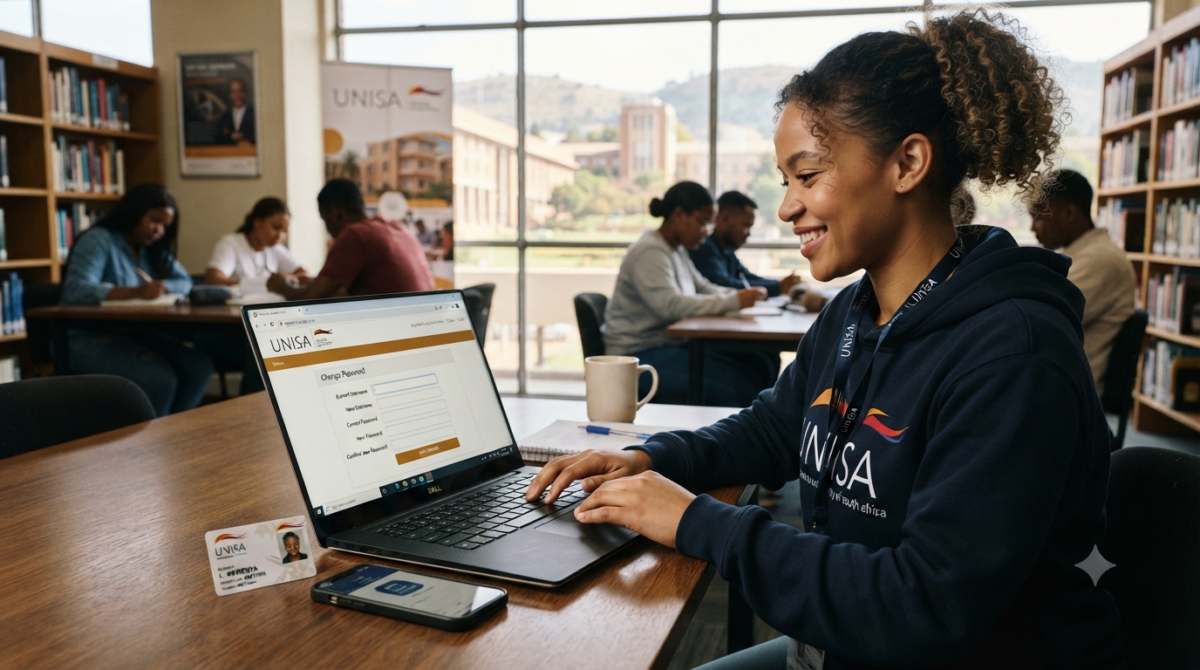
How to Change Username and Password On Unisa Application After Creating NSFAS Profile you can change/Edit your Username and Password information anytime On Unisa Application process forgetting Login credential like Username and password is normal knowing that Unisa – The University of South Africa Come to option of Retrieving Password and Username During Admission process check the steps and Guide on thi page.
How to change username on Unisa application
Changing your username at the University of South Africa (UNISA) can have a significant impact on your academic and administrative experience as a student. This modification enables students to easily update their personal information, which helps to ensure that official records and communications are accurate. It helps to make administrative processes more efficient, minimise errors, and ensure easy access to online platforms. In addition, it supports security measures by allowing regular updates and protecting sensitive data.
To change your username on the UNISA application, follow these simple steps.
- Log into myUNISA account with your credentials.
- Once logged in, click on “myAdmin”.
- Proceed to select “Student admin”.
- The next step takes you to “Biographical details”.
- If you need to change your name or username. Click on “update details”.
- Change your username to the preferred name.
- Verification and a captcha may pop up to ensure you are not a robot and are the owner of the account.
- Complete that and click submit to finally change the username on the UNISA application.
How do I change my personal details on myUnisa?
It is important to update personal details on the myUNISA platform in order to have accurate and current information for academic, administrative, and communication purposes. This encompasses contact information, addresses, and personal details, allowing for easy access to course materials, communication with instructors, and receiving important updates from the university.
- Log into myUNISA account with your credentials.
- Once logged in, click on “myAdmin”.
- Proceed to select “Student admin”.
- The next step takes you to “Biographical details”.
- Your biography details contains all your personal details.
- Click on update personal details to give you access.
- Go through the portal to make the necessary changes.
- Once done, click submit to successfully complete the change of personal details.
How do I reset my Unisa username and password?
There are several reasons why one may decide to reset his or her username and password at the University of South Africa. Whichever the case may here is a simple step to take to reset your login credentials.
- You can choose to enter the wrong details into the login space to give you invalid credential feedback.
- Also, you can simply click on forgotten username or password on the portal, which leads you to reset your username or password.
- If your “User Name” or “Password” is wrong, “Invalid Credentials” will show up.
- Get your “Student number” ready.
- Click “Continue” from the menu.
- This allows you to change your username and help you choose a new password.
- If you are from South Africa, type in your “South African ID number.”
- If you are from another country, type in your “Passport Number/Foreign ID number.” You must use the same “ID or Passport Information” that you used when you first signed up for Unisa.
- To send the information, click the “Continue” button.
- You will get a new email with information and your new username.
- Remember that your password is encrypted, so what you enter will become your new password.
Frequently Asked Questions (FAQs)
How do I change my UNISA application password?
Use the official UNISA password-management or recovery facility and follow the instructions provided to create a new password.
Can I change my UNISA username?
A UNISA username may serve as an account identifier and may not be freely changeable. If you need assistance with your username, use UNISA’s official account-recovery or support channels.
What should I do if I forgot my UNISA username?
Use the official UNISA recovery options or contact UNISA support for assistance in recovering your account information.
What should I do if I forgot my UNISA password?
Use the official UNISA password-reset facility rather than creating a duplicate account.
Can I reset my UNISA password online?
Yes, UNISA provides online account-management and password-recovery options through its official systems.
Do I need my student number to recover my UNISA account?
Depending on the UNISA service you are using, you may be asked for your student number or other identifying information.
Can I change my UNISA password on my phone?
Yes. You can access the relevant UNISA online service using a smartphone with an internet connection.
Can I use the same UNISA account after changing my password?
Yes. Changing your password does not normally mean that you need to create a new account.
Should I create another UNISA account if I cannot log in?
No. Try to recover your existing account first to avoid creating duplicate applications or accounts.
Why is my UNISA password not working?
The password may be incorrect, the account may require recovery or you may be using the wrong UNISA login service. Check your details and use the official recovery process.
Can I change my UNISA username if I made a mistake?
Username changes may be restricted. Contact UNISA through its official support channels if you believe your account information is incorrect.
How can I recover my UNISA login details?
Use the official UNISA account-recovery options and provide the information requested to verify your account.
Can someone else change my UNISA password for me?
You should manage your password yourself and never give your password to another person.
Should I share my UNISA password with an application agent?
No. Keep your password confidential even when receiving assistance with your application.
What should I do if I no longer have access to my registered email?
Contact UNISA through its official support channels for guidance on recovering access to your account.
Can I change my UNISA password more than once?
Password-management rules can depend on UNISA’s current system requirements. Follow the instructions displayed when managing your account.
What makes a strong UNISA password?
Use a unique password that is difficult to guess and follows any password requirements displayed by UNISA.
Is it safe to use a public computer to change my UNISA password?
It is preferable to use a trusted device. If you must use a public computer, avoid saving your password and log out completely when finished.
Where can I find official UNISA login assistance?
Use the official UNISA website and its current support/contact information rather than relying on unofficial websites or individuals.
What should I do if UNISA account recovery does not work?
Contact UNISA directly and explain the problem. Do not create multiple accounts unless UNISA instructs you to do so.
Can I change my UNISA application details after submitting my application?
Some application information may be managed separately from login credentials. Follow the instructions provided by UNISA for the particular information you need to change.
Does changing my UNISA password affect my application?
Changing your password is an account-security action and does not normally mean that you must submit a new application.