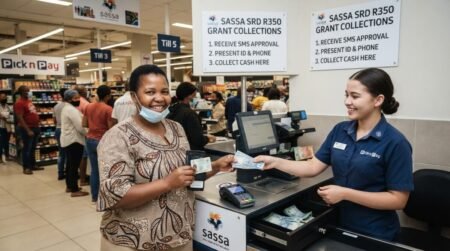
How to Buy Airtime with Your SASSA Card You can use your sassa card buying your Mobile Airtime at any South African Mobile network easily,For the sassa Benefit its importan to know Steps to buy airtime.
Advantage of Buy Airtime with Your SASSA Card?
Using a SASSA card to buy airtime offers several advantages:
- Convenience: You can buy airtime with your SASSA card anytime and anywhere, without needing to visit a store or use cash.
- Security: Transactions done with the SASSA card are secure, reducing the risk of carrying cash.
- Ease of Use: The process is straightforward and can be done through various methods.
How to Buy Airtime with Your SASSA Card
A SASSA card is a South African Social Security Agency card that allows beneficiaries to access social grants and make payments. Airtime refers to purchased credit allowing the usage of cellular network services including calls, SMS, and mobile data.
To purchase airtime with a SASSA card on your phone, you first need to:
- Have an active mobile phone network connection
- Download a compatible mobile banking app
- Register and link your SASSA card details to the app
- Locate the airtime purchase feature and select an amount
- Confirm the transaction with your SASSA card PIN
Once authorized, the airtime will automatically be credited to your linked mobile phone number.
Step-by-Step Guide to Buying Airtime using a SASSA Card
Follow these steps to easily purchase airtime directly through your phone using mobile banking:
Step 1: Check Network Connectivity
Ensure your mobile phone has an active internet connection through mobile data or Wi-Fi. A network connection is required to access the mobile banking application for transactions.
Check that you have reliable connectivity and recharge data if needed before proceeding.
Step 2: Download a Mobile Banking Application
Visit your device’s app store to download a compatible mobile banking app. Popular options include:
- Capitec App
- FNB App
- Nedbank App
- Absa App
Register for the app that allows transactions with your SASSA card provider. The app should be free to download on Android and iOS devices.
Step 3: Register and Login
Launch the newly installed mobile banking app. Follow the on-screen prompts to register a new account or login to an existing account.
You will need to provide essential personal details like your ID number, contact information, and SASSA card details when registering. Ensure all information entered is accurate.
Step 4: Link Your SASSA Card
Once logged in, go to your profile or settings and look for a “Link Card” or “Add Card” option. Select SASSA card and enter the required information:
- SASSA card number
- Card expiry date
- Security PIN
Follow any additional prompts to successfully link your active SASSA card to enable transactions.
| Card Type | Linking Process |
| SASSA Postbank Card | Add card number and OTP PIN |
| SASSA Grindrod Card | Use security PIN |
Step 5: Locate Airtime Purchase Menu
Once your SASSA card is successfully linked, navigate to the airtime purchase menu. This is usually indicated by “Airtime”, “Recharge”, “Buy Airtime” or similar.
On most banking apps, this option will be visible on the home screen or within the services/payments menu.
Step 6: Select Amount
Choose the amount of airtime you wish to purchase from the displayed or input options:
- Set amounts e.g. R10, R20, R50
- Custom input to specify an amount
Available values depend on the mobile provider, but often range from R5 upwards.
Step 7: Confirm and Authorize Transaction
Carefully review the purchase details before confirming:
- Chosen airtime value
- Mobile number receiving airtime
- Debit amount from SASSA card
Then authorize the transaction by entering your SASSA card PIN when prompted. This enables secure payment through the linked card.
Step 8: Wait for Confirmation
A processing notification will display while the transaction is verified with your bank.
Wait for the final confirmation message indicating successful airtime purchase before exiting the app. This may take a few minutes.
Step 9: Check Airtime Credit
To confirm, check your new airtime credit using:
- The mobile banking app balance display
- Dial USSD code – For example, *141# for MTN or *101# for Vodacom
- Network provider mobile app
This completes the process of buying airtime with your SASSA card completely through your mobile device!
Get Opportunities
Currents South African Vacancies
Apply for Learnerships Programme
Get Apprenticeships Programmes
Common Issues and Troubleshooting
- Insufficient Funds: If you encounter an issue with insufficient funds, it means there are not enough funds in your SASSA account to complete the transaction. Check your balance and try again with a lower amount if necessary.
- Network Issues: Sometimes, network problems can cause delays or failures in purchasing airtime. If this happens, wait a few minutes and try again. If the problem persists, contact your network provider or SASSA for assistance.
- Incorrect Details: Ensure you enter the correct mobile number and network provider details to avoid issues. Double-check the information before confirming the transaction.
Frequently Asked Questions (FAQs)
Can I buy airtime with my SASSA card?
Yes, you can use ATMs, shops, or mobile banking.
Is it safe to use a SASSA card for airtime?
Yes, as long as you keep your PIN secure.
Can I buy airtime at any ATM?
Most ATMs with prepaid services support airtime purchases.
What networks can I buy airtime for?
MTN, Vodacom, Cell C, and Telkom.
What if airtime is not received?
Wait a few minutes or contact your network provider.
Can I buy airtime for another number?
Yes, just enter the correct phone number.
Do I need a bank account?
No, your SASSA card works independently.
Can I buy data bundles?
Yes, most services allow data purchases.
Is there a fee for buying airtime?
Some ATMs may charge small fees.
Can I use my card at spaza shops?
Yes, many local shops accept SASSA cards.
What if my card is declined?
Check your balance or card status.
Can I use contactless payment?
Yes, if your card supports it.
How long does it take to receive airtime?
Usually instantly.
Can I reverse an airtime purchase?
No, airtime purchases are usually final.
What should I do if I enter the wrong number?
Contact your mobile provider immediately.
Is my SASSA card a debit card?
Yes, it works like a debit card.
Can I buy electricity with my card?
Yes, at supported ATMs and stores.
What if I forget my PIN?
Contact SASSA or your card provider.
Can I use my card anywhere?
Yes, at supported ATMs and retailers.
Where can I get help?
Contact SASSA or visit the nearest office.