How to Change Your Sassa Phone Number for Srd Grant Updating your sassa Phone number is the Important for making sure you will Receive all Sassa Application Notifications and Updates concern sassa Payments dates and whole process.
The main reasons for a Number Change
- Incorrect Contact Information in the SASSA grant Application.
- Sim Card lost, or Cell Phone Stolen.
How to Change Phone Number on Sassa Srd
Before You Begin:
- Make sure you have your South African ID number and your Sassa Application ID (AppID) readily available.
- You’ll also need your new phone number.
- Remember, you can only update your contact details once every 24 hours.
- Visit the SASSA services portal to access your SASSA account.
- Enter your 13-digit South African Identity Number in the “ID Number” box.
- Input your 6-digit Application ID (App ID) provided by SASSA for grant approval.
- Click “Submit” to verify your identity as the original applicant.
- Select “Change Phone Number.”
- Provide your new cell phone number to update your SASSA application contact details.
- You’ll receive an SMS containing an OTP on the provided cell phone number for verification.
- Enter the SASSA OTP code and click “Verify Pin.”
- You’ll receive another message to confirm your request to change your cell phone number.
- Click “Submit” to approve the number change.
- Wait for 14 days (two weeks) for SASSA to verify your new contact details and process payments accordingly.
Notice: Avoid frequent cell phone number changes. SASSA advises beneficiaries against multiple monthly changes, as this may affect monthly grant payments, causing delays in Sassa Reapplication approval and potential until verification is complete.
Report SASSA about Stolen Phone / SIM Card
If your cell phone is stolen or you lose your SIM card, which is registered to your SASSA application, you need to follow these steps to change contact details with SASSA without OTP.
- SASSA officials warn that if you have lost your cell phone number report this incident to SASSA immediately.
- To report your stolen registered cell phone number to SASSA click on this link: https://srd.sassa.gov.za/sc19/auth
- Enter your ID Number.
- By submitting your ID number you confirm that your cell phone number used for SASSA SRD R350 grant application was changed without your permission.
- Confirm your choice with Yes or No.
- If you agree, you will receive a notification stating ‘Successfully submitted unauthorized cell phone number change report to SASSA.’
How to Report SRD Lost Phone Number to SASSA?
Here’s how to report SASSA about SRD Lost Phone Number:
- Access the official SASSA website at https://srd.sassa.gov.za/sc19/auth
- Locate and click on the “Report Lost or Stolen Phone” option
- When prompted, enter your valid 13-digit South African ID number
- Confirm that your SASSA-registered mobile number was altered without your consent
- Select “Yes” to formally lodge a report about the unauthorized cell phone change
- SASSA will send a confirmation acknowledging receipt of your report
- Now, initiate the process to update your mobile number details by following the standard procedure outlined earlier
- Allow a 14-day window from the report date for SASSA to thoroughly verify your new contact information before reinstating grant payments
Swiftly reporting a lost, stolen, or compromised SASSA phone number is an essential security measure. It mitigates the risk of fraudsters exploiting your personal details to unlawfully access and divert your rightful social relief funds.
Promptly initiating this process ensures SASSA can take the necessary precautions to safeguard your account’s integrity.
Important Reminder for Beneficiaries
- Regularly log in to your SASSA account to check your SASSA status. If it displays ‘record not found,’ contact the SASSA helpline at 0800 601 011 to block your payments.
- Proceed to the Change Phone Number process online to update your contact details.
- Wait for 14 days (2 weeks) from the date of the requested change in your SASSA phone number to have your phone number successfully updated for your grant payments.
How to Change SRD Phone Number without Application ID?
Here’s how you can change SRD Phone Number without Application ID.
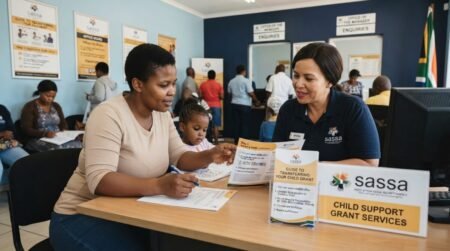
1. Visit Your Nearest SASSA Office
Locate the nearest SASSA branch and inform the staff you need to update your mobile number for the SRD grant.
2. Provide Identification and Current Number
Present your South African ID and current registered phone number to verify your identity.
3. Complete the Contact Update Form
Fill out the form accurately with your new mobile number and other required details.
4. Submit the Form
Hand over the completed form to the SASSA staff for processing the phone number change.
4. Receive Confirmation
SASSA will send a confirmation message to your old and new numbers once the update is complete.
5. Keep New Number Secure
Safeguard your new contact information to prevent unauthorized access to your SASSA account.
By following these steps, you can easily update your SASSA SRD phone number without needing an application ID, ensuring seamless communication regarding your social grant. But if you are thinking of changing SRD Phone number without application ID online, you might need to think again.
How to Change SRD Phone Number without Application ID Online?
You cannot Change your registered phone number for the SASSA Social Relief of Distress (SRD) grant online without application ID number. Be wary of websites claiming easy updates without ID verification, as SASSA requires confirmation to change applicant details to prevent fraud. The safest way is to contact SASSA directly through official channels like phone, email or in-person.
How to Fix “Invalid” Phone Number on SASSA?
If SASSA says your new phone number is “invalid”, first check you entered it correctly. It must start with 0 and have 9 digits, no spaces. A typo can cause the error. Make sure to use a mobile number, not a landline.
If the number format is right, try these fixes: Use a different web browser like Chrome or Firefox. Clear your browser’s cache and cookies. Restart your computer or phone.
Still getting the “invalid” message? Contact SASSA support at 0800 60 10 11. Explain the troubleshooting steps you tried. Having your SASSA ID number ready helps them assist you faster. You can also link your WhatsApp to ensure reliable code delivery.
Frequently Asked Questions (FAQs)
How do I change my SASSA SRD phone number?
You can update it through the official SASSA SRD website by verifying your ID and submitting a new number.
Can I change my SASSA number online?
Yes, through the official SRD portal managed by SASSA.
What if I lost my old phone number?
You can still update your number after identity verification.
Do I need my old SIM card?
No, but additional verification may be required.
How long does it take to update my number?
It may take a few minutes to a few days.
Why is my new number not updating?
It may still be under verification or contain incorrect details.
Can I use someone else’s number?
No, it is recommended to use a number registered in your name.
What happens if I don’t update my number?
You may miss OTPs, payment updates, and status notifications.
Is it free to change my SASSA number?
Yes, it is completely free.
Where can I get help?
Contact or visit the South African Social Security Agency offices.